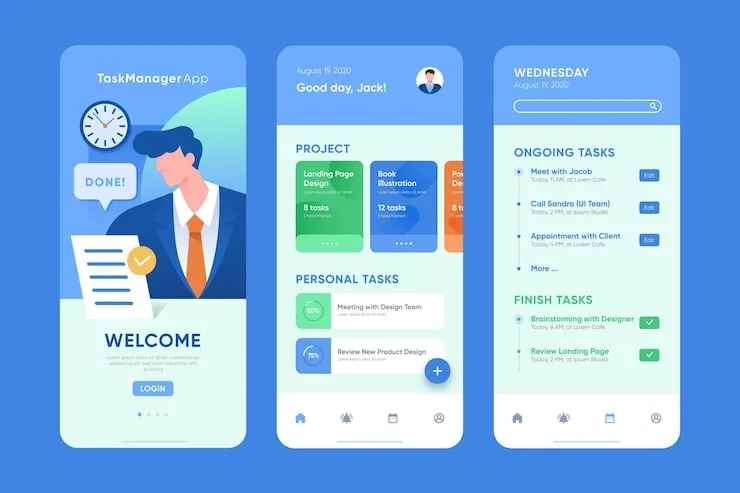
Managing tasks, projects, and time can feel like a lot. Many people use nTask to stay on top of their work. But what if there were other tools that could make your work easier, faster, and more organized? Have you ever wondered if there’s something better than nTask? This article will explore the best alternatives to nTask that can help you improve productivity. We'll look at options that are simple to use, powerful, and perfect for individuals or teams. Let’s dive in and find the tools that can change the way you work.
1. Trello – Simple Boards, Clear Tasks
Trello is a popular tool that uses boards and cards to organize your work. Each task can be a card, and you can move it from one column to another to show progress. It is simple and fun to use, even if you are not tech-savvy. You can see everything at a glance, which helps you avoid missing deadlines. Trello also offers integrations with apps like Google Drive, Slack, and Zoom, making collaboration easy.
Key Points:
- Drag-and-drop interface makes organizing tasks fast.
- Free and paid versions available for small teams and big projects.
With Trello, staying on top of tasks is easy. You can assign tasks to team members, set due dates, and even add checklists. If you like seeing your work visually, Trello is a great choice.
2. Asana – Team-Friendly Task Manager
Asana is designed for teams and individuals who want to plan projects and track work. It lets you create tasks, subtasks, and project timelines. You can also set priorities, attach files, and leave comments. Asana helps keep everyone on the same page. If you have multiple projects at once, Asana keeps things organized and reduces confusion.
Key Points:
- Offers calendar and timeline views to track deadlines.
- Integrates with many tools like Slack, Gmail, and Dropbox.
Many users find Asana helpful because it reduces back-and-forth emails. You can check what is done and what is pending in one place.
3. ClickUp – All-in-One Productivity Tool
ClickUp is an alternative that combines tasks, docs, and goals in one place. You can make lists, boards, and calendars to manage work. ClickUp also allows you to track time, which is useful if you bill clients or want to see how long tasks take. It is flexible, and you can customize it according to your needs.
Key Points:
- Offers templates for different types of projects.
- Supports notifications, reminders, and reporting.
ClickUp is good for people who want everything in one place. From personal tasks to team projects, ClickUp can handle it all without being too complex.
4. Todoist – Keep It Simple
Todoist is perfect for people who want a simple to-do list without extra features. You can create tasks, set due dates, and add labels to organize them. It works on phones, tablets, and computers, so you can check your tasks anywhere.
Key Points:
- Simple interface makes it easy to manage daily work.
- Free version is enough for most users.
Todoist is especially good if you don’t need full project management software. It keeps things simple and helps you focus on what matters.
5. Monday.com – Visual Workflow Manager
Monday.com is a tool that focuses on visualizing work. You can create boards, columns, and groups to see tasks at a glance. It works for teams of any size and helps in tracking progress clearly. Monday.com also allows automation, which can save time on repetitive tasks.
Key Points:
- Visual dashboards make tracking progress easy.
- Automation reduces manual work.
If your team likes seeing work visually and wants some automation, Monday.com is a great nTask alternative. It makes work smoother and reduces confusion.
6. Wrike – Work Smarter
Wrike is another alternative that helps teams manage projects efficiently. You can create tasks, timelines, and reports. Wrike also allows collaboration and file sharing. It is useful for marketing, design, and software teams who need a structured workflow.
Key Points:
- Provides detailed reporting for better planning.
- Good for both small and large teams.
Wrike makes it easy to see who is doing what. It reduces missed deadlines and improves team communication.
FAQs About nTask Alternatives
Q1: Are these alternatives free?
Some tools like Trello and Todoist offer free plans with basic features. Others like ClickUp and Monday.com have free trials, but advanced features may require a paid plan.
Q2: Can I switch from nTask easily?
Yes. Most tools allow importing tasks from nTask or manual setup. You can start small and gradually move all your projects.
Q3: Which tool is best for a small team?
Trello and Asana are great for small teams. They are simple, easy to use, and have enough features to manage daily work.
Conclusion
In conclusion, while nTask is a good tool, there are many alternatives that can help improve productivity. Trello is perfect for visual organizers, Asana helps teams track projects, ClickUp combines multiple features, Todoist keeps things simple, Monday.com adds visual workflows, and Wrike improves team collaboration. Choosing the right tool depends on your work style, team size, and needs. By trying these alternatives, you can make your work easier, reduce stress, and finish tasks faster.